Car Air Comfort
Setting the car temperature
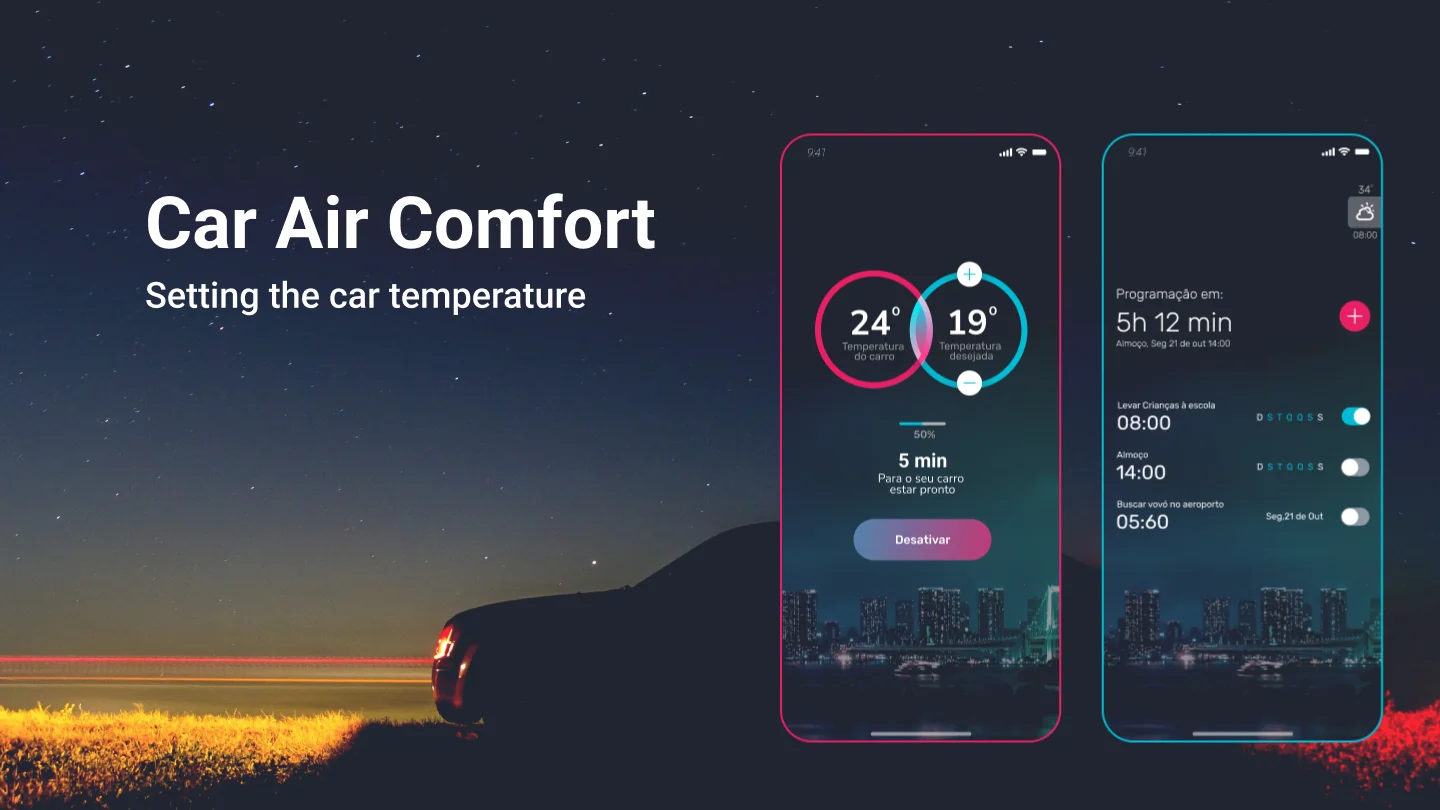
A mobile app that cools the car before you get in, so it's already at the right temperature when the trip starts.
A hot car,a slow fix
In hot countries, getting into a car that has been sitting in the sun is a real pain: the air conditioning takes too long to bring the temperature down.
An app that lets the user control the temperature inside the car.
A convenient, quick way to set the car temperature from the phone, before the trip begins.
From the ideato the prototype

Everything the app had to do
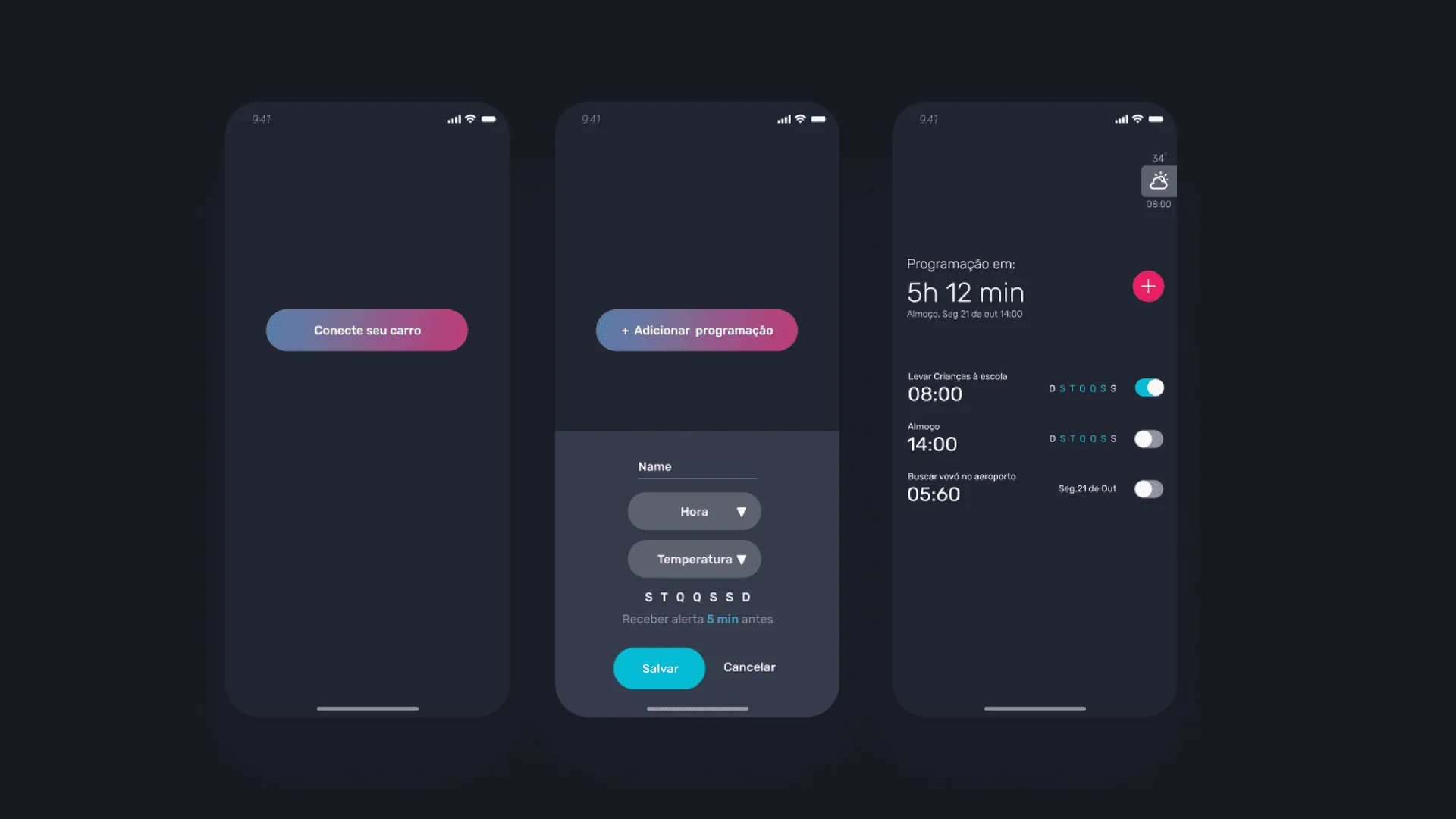
I started by mapping the product around one core: the car's current temperature, the desired temperature, the progress between them and a forecast of when the car would be ready. Around it came connecting to the car, an hourly weather forecast, schedules for recurring trips and alerts.


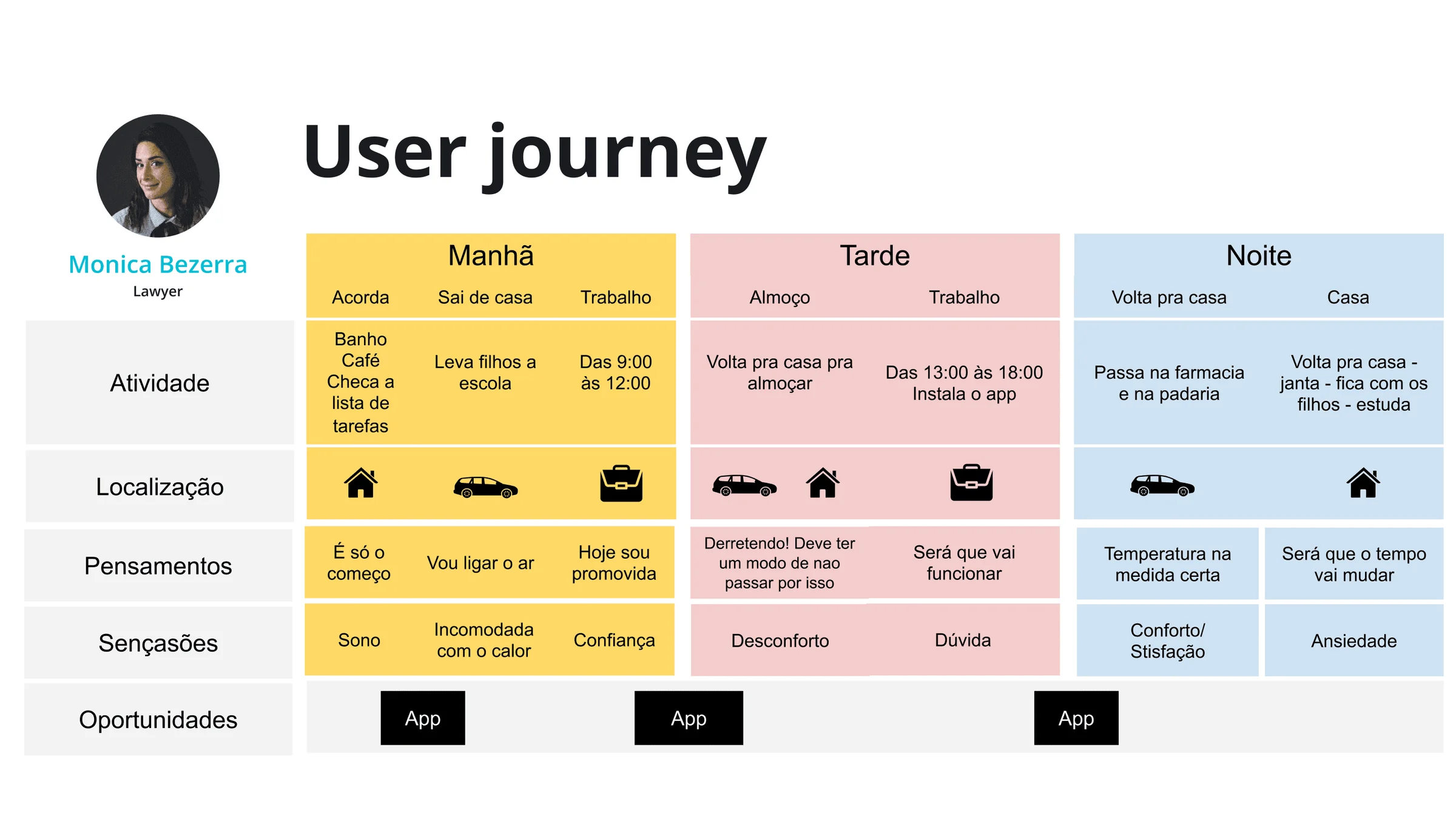
Monica Bezerra
Lawyer at a telecommunications company, 38
- Goal
- Reach the position of executive director at the company.
- Challenge
- Balancing work with two small children, the house, and her own body and health.
- Media
- Instagram, Twitter, Facebook, news sites, and mother-and-baby blogs.
- How we can help
- Bringing the right temperature and comfort to her car journeys.
Where the heat hurts
Following Monica through a full day showed when the app matters: every time she gets back into the car. Taking the kids to school, driving home for lunch ("Melting! There has to be a way not to go through this") and the drive back in the evening became the three moments for the app.
The flow before the visuals
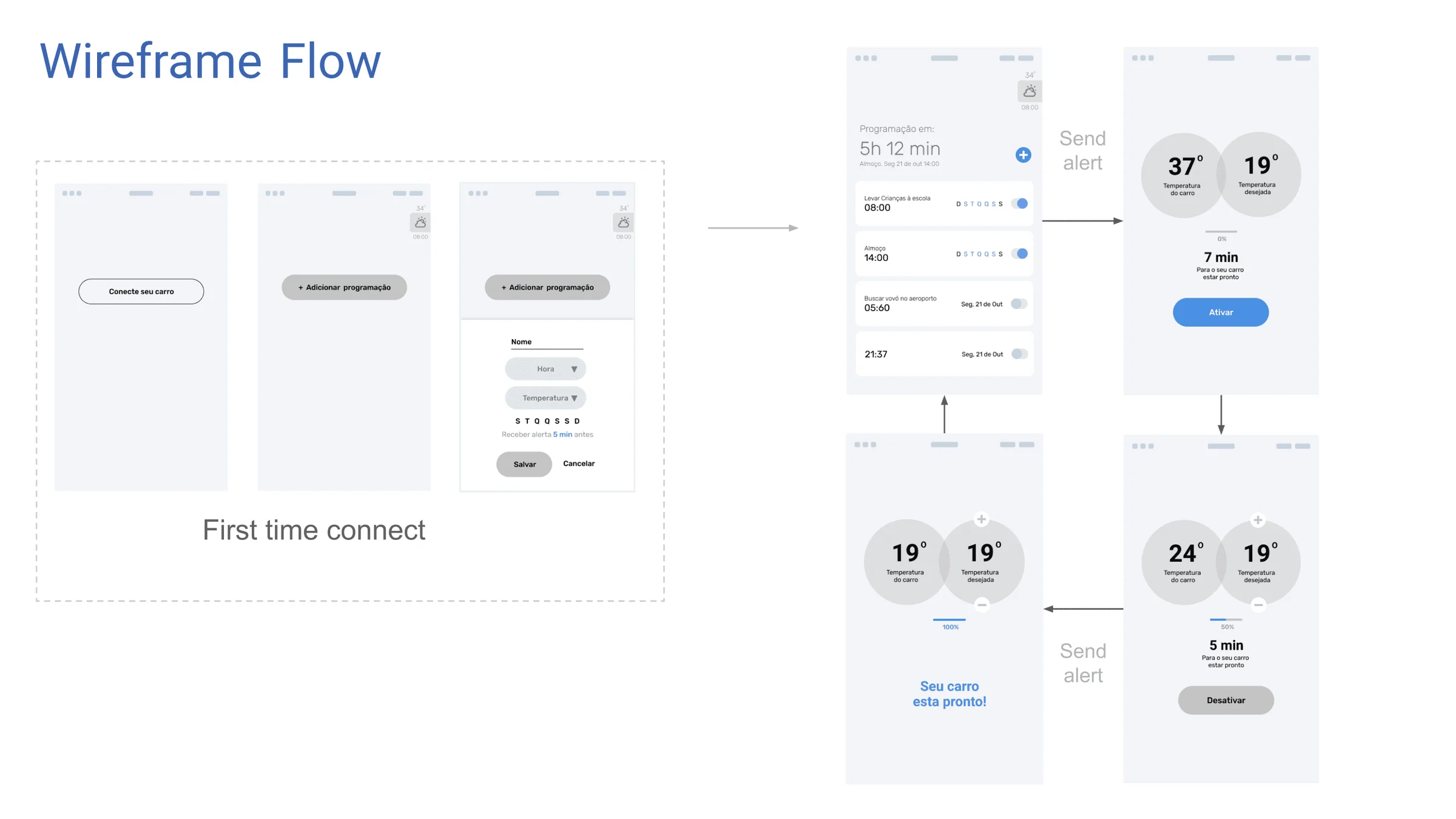
The wireframes laid out the first connection with the car, the schedule list and the main control screen, with the alerts that tell the user when the car is ready.
Two numbers,one action
The main screen puts the car's temperature next to the desired one, shows how far the transition has gone and how many minutes are left until the car is ready, with a single button to activate or turn it off. The schedules screen highlights the next trip and lets each one be switched on or off.